There are dozens of online banner makers, and most of them look the same on their home pages: "create stunning banners in minutes". The real differences show up later, when you try to download an animated HTML5 banner for Google Ads, add a second click link or skip the watermark. Then many "free" tools ask for a credit card.
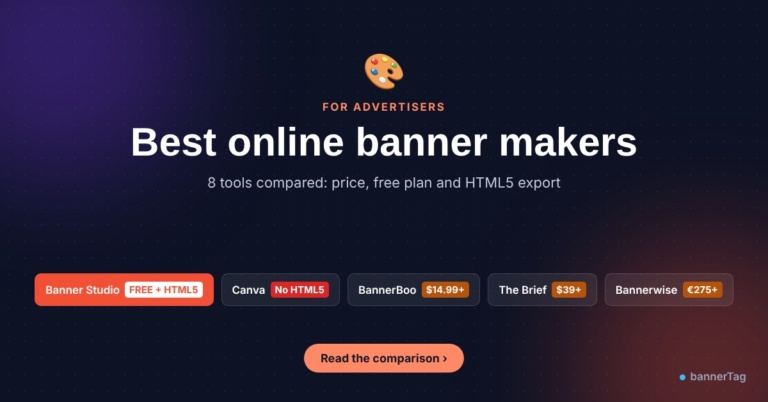
We compared eight popular banner makers on what matters for display ads: price, a real free option, HTML5 export, click links, sizes and how fast you can get a finished banner. Prices were checked in November 2026 and are shown in US dollars or euros as the tools list them.
Disclosure: Banner Studio is our own free tool. We built it because we could not find a free tool that does everything below, so we tell you where the others are better too.
Quick answer
- Best free banner maker for display ads: Banner Studio. Free, no sign up, no watermark, 30 ready templates, 12 sizes at once, slides, several click links, HTML5 ZIP, PNG and JPG.
- Best for social media graphics: Canva. Huge template library, but no HTML5 ad export.
- Best free desktop app for complex HTML5 ads: Google Web Designer. Powerful, but closer to animation software than to a quick banner maker.
- Best for agencies with big volumes and data feeds: The Brief (formerly Creatopy), Abyssale or Bannerwise. Paid only, from about $39 to €299 per month for HTML5.
A banner for a social post and a banner for an ad network are different jobs. For display ads, check these points before you pick a tool:
- HTML5 export with clickTag. Ad servers and networks such as Google Ads, Google Ad Manager and Campaign Manager 360 count clicks with a clickTag variable. Without it, clicks are not tracked or the upload is rejected. See Google's HTML5 guide for Campaign Manager 360.
- Small files. Most networks want an HTML5 ZIP of 150 KB or less. Tools that pack full-size photos into the ZIP often fail this.
- All the standard sizes. At least 300x250, 728x90, 300x600, 320x50 and 970x250. Our banner ad sizes guide lists them all.
- Short animation. Google Ads limits animation to 30 seconds, so the tool should let you set slide times and loops.
- Several click links. A banner with three products works better when each product opens its own page.
- A real free option. Many tools have a free plan that only exports PNG, or only a 7 or 14 day trial.
| Tool | Free option | Paid plans from | HTML5 ad export | Best for |
|---|---|---|---|---|
| Banner Studio | Yes, everything free, no sign up | Free | Yes, all plans (it is free) | Display ads, small businesses, publishers |
| Canva | Yes, free plan | Pro $18/month or $144/year | No | Social media and print |
| Adobe Express | Yes, free plan | Premium $9.99/month | No | Quick social graphics |
| BannerBoo | Free plan: 10 banners, JPG and PNG only | Start $14.99/month | From the Start plan | Simple animated banners on a budget |
| The Brief (formerly Creatopy) | 7-day trial | Create $39/month | Yes | Teams that want AI and automation |
| Abyssale | 14-day trial | Start $15/month (HTML5 needs Suite, $75/month) | Suite plan and up | Creative automation at scale |
| Bannerwise | 7-day trial, one ad set | Standard about €275-299/month | Yes | Agencies and brands with data feeds |
| Google Web Designer (desktop app) | Free desktop app | Free | Yes | Designers building complex HTML5 ads |
Prices are the monthly list prices on each tool's pricing page or on G2 in November 2026. Yearly billing is usually cheaper, and prices change often, so check before you buy.
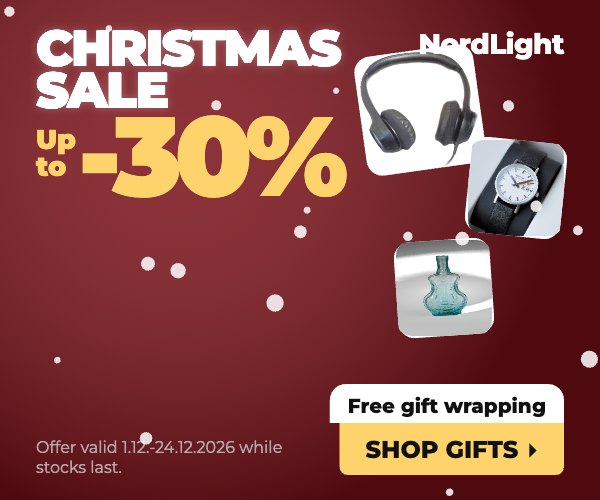
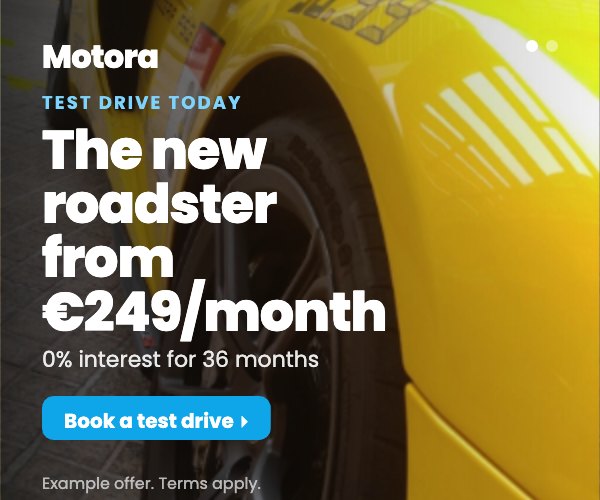
Banner Studio is the free banner maker we built on bannerTag. It starts from banners that look like real ads you see on news and shopping sites: product deals with big prices, offer strips with several products, Black Friday and Christmas sales, car and real estate ads, photo slideshows and simple text banners.
What you get for free:
- 30 ready templates in four groups: shop, holidays and seasons, industries and simple.
- 12 sizes, from 320x50 to the 970x250 billboard, plus 1200x628 and 1080x1080 for social. The layout adapts to each size, so you do not redraw anything.
- Slides with slide, fade or zoom transitions, slide time and number of loops.
- Several click links in one banner (clickTag, clickTag1, clickTag2 and so on), so each product can open its own page.
- Your own logo, colors and photos, a background remover for product photos and a library of free stock photos.
- Seasonal effects such as snow, confetti, hearts and falling leaves.
- Download as an HTML5 ZIP for each size (images are shrunk so most ZIPs stay well under 150 KB), or as PNG and JPG.
- No sign up, no watermark and no limit on downloads. Your draft is saved in your browser.
Where others are better: Banner Studio does not export GIF or MP4 video, has no team workspace or cloud storage, no AI image generation and no ad hosting or data feeds. Layouts come from templates, so it is not a free drawing canvas like Canva. For most small advertisers, shops and publishers making their own house ads, none of this matters. For an agency producing thousands of feed-based ads a month, a paid platform is a better fit.
Price: free. If you only need a quick static or simple animated banner, our lighter online banner maker is free too.
Canva is the tool most people already know. It has a very large template library, an easy drag and drop editor, photos, brand kits and good team features. The free plan is generous, and Canva Pro costs $18 per month or $144 per year for one person.
The catch for display advertising is export. Canva downloads designs as images, PDF, video or GIF, but it does not create HTML5 banner ads with a clickTag. You can upload a static PNG or JPG banner to most networks, but you cannot make an animated HTML5 banner that counts clicks. Many teams design in Canva and rebuild the banner in another tool, which doubles the work.
Choose it for: social posts, print and static images. Skip it for: animated display ads.
3. Adobe Express: quick graphics with a big brand
Adobe Express is Adobe's simple online editor. It has a free plan and a Premium plan at $9.99 per month with more templates, Adobe Stock content and brand tools. It is pleasant to use and good for quick social graphics.
Like Canva, it is not made for display ads. Users on the Adobe community forum asking how to make small GIF or HTML5 banners were told to export a video and convert it to GIF. There is no HTML5 ad export with clickTags.
Choose it for: social graphics if you already use Adobe tools. Skip it for: HTML5 banners.
BannerBoo is a banner maker made for ads. It has animated templates, resizing and one-click export to ad networks. The free plan is limited to 10 banners and exports JPG and PNG only. HTML and GIF export start with the Start plan at $14.99 per month. Pro ($29.99) adds smart resize, background removal and more, and Plus ($49.99) adds brand workspaces.
Choose it for: small teams that want an ad-focused tool with GIF and video. Watch out: HTML5 is not in the free plan.
5. The Brief (formerly Creatopy): AI and automation for teams
Creatopy, known earlier as Bannersnack, now runs as The Brief. It is a full creative platform with brand kits, AI generation, resizing and HTML5 export, plus other formats. There is no free plan, only a 7-day trial. Create costs $39 per month for one seat, Amplify $99 per month, and Collaborate $59 per seat per month for 2 to 10 people.
Choose it for: marketing teams running many campaigns. Watch out: the cost adds up fast for one person who needs a few banners.
6. Abyssale: creative automation
Abyssale generates many ad variations from one template, with an API and spreadsheet automation. Plans start at $15 per month (Start), $45 (Pro) and $75 (Suite), with a 14-day trial and no free plan. HTML5 export is only in the Suite plan and above.
Choose it for: e-commerce teams generating hundreds of product ads. Watch out: HTML5 needs the $75 plan.
7. Bannerwise: for agencies and brands
Bannerwise is a professional platform with HTML5, GIF, MP4 and AMP export, feed-based dynamic ads and its own ad server. Plans start at about €275-299 per month for one user, with a 7-day trial that lets you download one ad set. HTML5 hosting on their ad server costs extra (€0.15 CPM).
Choose it for: agencies with big budgets. Skip it for: anything small.
8. Google Web Designer: free, powerful, but not quick
Google Web Designer is Google's free desktop app for HTML5 ads. It has a timeline, 3D, responsive ads, dynamic ads and direct publishing to Google Ads, Display and Video 360 and Campaign Manager 360. If you need full control and you have time to learn it, it is excellent.
The downside is speed. It works like animation software: you install it, learn scenes, timelines and components, and build each size. Making a set of 10 banners can take hours instead of minutes. It is also meant for business use only.
Choose it for: designers building custom or rich media HTML5 ads. Skip it for: a quick set of banners in many sizes.
| Your situation | Our pick |
|---|---|
| You need animated HTML5 banners for Google Ads or an ad network, for free | Banner Studio |
| You are a publisher making house ads or ads for direct advertisers | Banner Studio |
| You need a Christmas, Black Friday or seasonal campaign fast | Banner Studio (holiday templates) |
| You only need one static image banner | Online banner maker or Canva |
| You mainly make social media posts | Canva or Adobe Express |
| You need custom rich media with full control | Google Web Designer |
| Your team makes hundreds of ads from product feeds | The Brief, Abyssale or Bannerwise |
Why we recommend Banner Studio for most people
When we looked at the market, we saw the same gap again and again. The free tools (Canva, Adobe Express, the BannerBoo free plan) do not export HTML5 ads. The tools that do export HTML5 cost $15 to $300 per month or need a desktop app and hours of learning. Small advertisers, shop owners and publishers were stuck in the middle.
Banner Studio fills that gap. In one free tool you get templates that look like real ads, all standard sizes at once, slides, several click links, HTML5 ZIP files that are ready for ad networks, and PNG or JPG for anything else. No account, no trial that ends and no watermark. Open it, pick a template, change the text and photos, and download.
Before you launch, read which banner designs and sizes bring the best results, and check your file against the network rules.
FAQ
For display ads, Banner Studio on bannerTag. It is free with no sign up or watermark and exports HTML5, PNG and JPG in 12 sizes. For social media graphics, Canva's free plan is very good.
No. Canva exports images, PDF, video and GIF, but not HTML5 banners with a clickTag. Use a banner maker that exports HTML5 if you want animated ads that track clicks.
Is Google Web Designer free?
Yes. It is a free desktop app from Google for building HTML5 ads, meant for business use. It is powerful but takes time to learn.
What happened to Bannersnack and Creatopy?
Bannersnack became Creatopy, and Creatopy now runs as The Brief, an AI creative platform with paid plans and a 7-day trial.
Most networks, including Google Ads, ask for a ZIP of 150 KB or less, with animation of 30 seconds or less. Banner Studio shrinks images on export to help you stay under the limit.