
A good website banner does one job: it gets the right people to click. You do not need Photoshop or a designer for that. With a clear message, the right size and a free tool, you can make a clean banner in about ten minutes.
This guide walks you through it step by step: where the banner goes, what size to use, what to write, which colors to pick, how to make it for free and how to keep the file light so your page stays fast.
Short version: pick the spot, pick the size, write one short headline and one button, use two or three colors with strong contrast, make it in a free online banner maker, and save it as a small PNG or JPG with alt text.
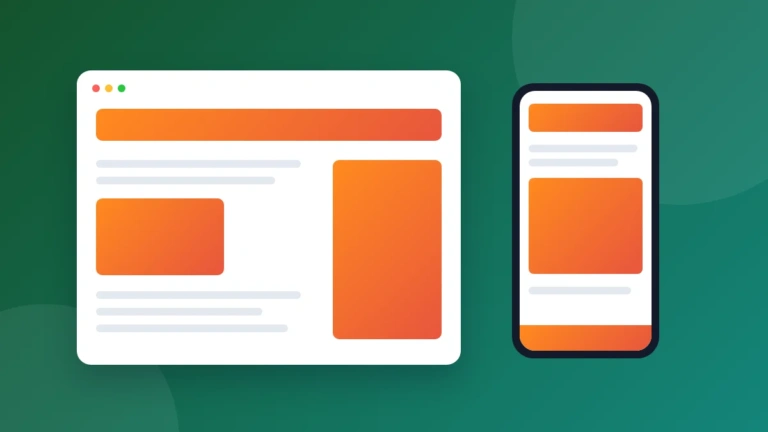
The spot decides the size, the shape and how much you can say. Most website banners fall into one of these four groups:
- Header or hero banner: the wide strip at the top of a page. It introduces the page or a sale.
- Ad slot banner: a standard ad size in your sidebar, inside articles or at the top of the page. Use it for your own offers (house ads) or for paid ads.
- Blog or featured image: the image at the top of a post, which also shows when the post is shared on social media.
- Promo strip: a short, wide banner between sections, for example for a newsletter or a webinar.
Step 2: Pick the right size
Use a size that fits the spot exactly. A banner that is stretched or cropped looks unprofessional, and an ad in the wrong size will simply not show.
| Where it goes | Size in pixels | Keep the file under |
|---|---|---|
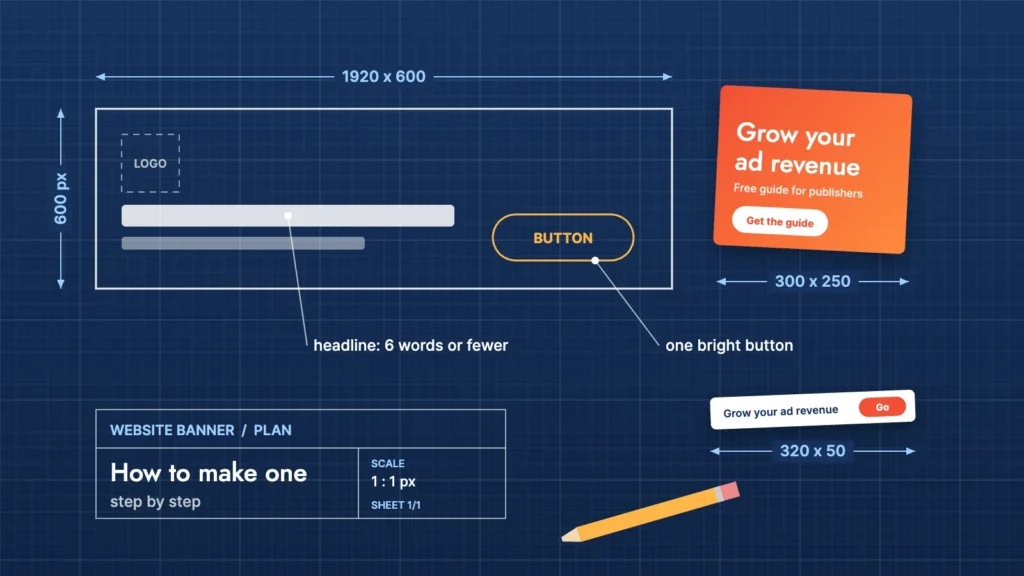
| Full-width header (strip) | 1920 x 600 | about 200 to 300 KB |
| Full-screen hero | 1920 x 1080 | about 300 KB |
| Blog featured image | 1200 x 628 | about 150 to 200 KB |
| Sidebar or in-article ad | 300 x 250 or 336 x 280 | 150 KB |
| Top of page ad (desktop) | 728 x 90 or 970 x 250 | 150 KB |
| Tall sidebar ad | 300 x 600 or 160 x 600 | 150 KB |
| Phone ad | 320 x 50 or 320 x 100 | 150 KB |
The 150 KB limit is the one Google Ads uses for uploaded image ads, and most ad servers have similar limits. For headers there is no hard rule, but smaller files load faster. See all standard sizes in our banner ad sizes guide, or the best mobile banner sizes.
Tip: if you need the same banner in several sizes, design it once and export a package of sizes. It is much faster than starting over for each one.
Step 3: Write the message before you design
Most banners fail because of the words, not the design. People look at a banner for a second or two, so it needs one idea that can be read at a glance.
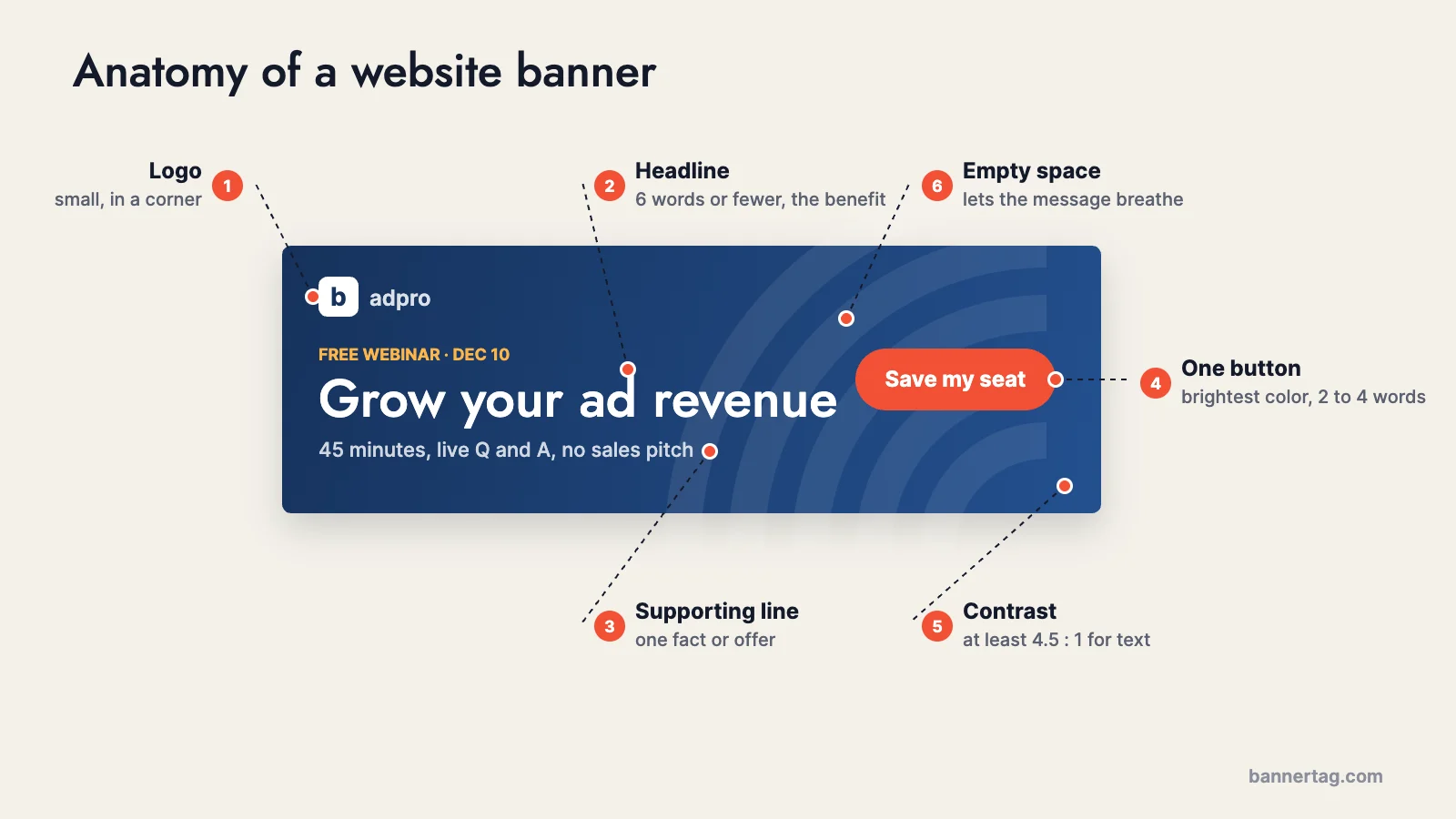
- Headline: about six words or fewer. Say the benefit, not your company name. "Grow your ad revenue" beats "Welcome to Acme Media".
- Supporting line (optional): one short line with the offer or proof, such as "Free for 30 days" or "Used by 2,000 publishers".
- Button: two to four words that say what happens next: "Get the guide", "Book a demo", "Shop the sale". Avoid "Click here".
- Logo: small, in a corner. It builds trust but should not fight the headline.
If you need ideas, look at our creative banner ideas and these examples of banner ads that work.
Step 4: Choose colors and fonts
- Use two or three colors. One background color, one text color and one strong accent for the button.
- Make the button stand out. It should be the brightest or most different color in the banner.
- Keep text easy to read. Dark text on a light background, or white text on a dark one. Accessibility guidelines (WCAG) ask for a contrast ratio of at least 4.5 to 1 for normal text.
- Use one font, two at most. Bold for the headline, regular for the rest. Skip thin or script fonts, they blur on small banners.
- Leave space. Empty space around the headline makes it easier to read than a crowded layout.
Here is how it works in the bannerTag banner maker. It runs in your browser, so your images are never uploaded, and there is no sign up and no watermark.
- Choose a size. Pick a standard ad size, a social media size, or choose Custom size and type any width and height up to 4000 pixels.
- Pick a theme. Start from one of eight themes, then change the colors, pattern, icon or background image. You can add your own photo or logo.
- Write your text. Add the headline, the small line above it, the line below it and the button text. The text resizes on its own, so it always fits.
- Check the file size. The tool shows the size under the preview, so you can see if you are under 150 KB before you download.
- Download. Save as PNG, JPG or animated HTML5. Need several sizes? Tick them in the package box and download everything as one ZIP file.
Want something that looks like a real shop or news site ad, with prices, slideshows or holiday designs? Start from one of the free banner ad templates in Banner Studio. For other tools, see our comparison of the best online banner makers.
Step 6: Save it in the right format
| Format | Best for | Watch out for |
|---|---|---|
| PNG | Flat colors, logos, sharp text | Large files if the banner has a photo |
| JPG | Banners with photos | Text can look a little soft at low quality |
| WebP | Banners on your own website | Not accepted by every ad network |
| HTML5 | Animated ads | Needs an ad server or ad network that accepts HTML5 ZIP files |
If the file is too heavy, lower the JPG quality a little, use a simpler background or remove the photo. A banner that loads late is a banner nobody sees.
Step 7: Add it to your website
- In WordPress: add an Image block, upload the banner, add a link to the image and fill in the alt text.
- Write useful alt text. Describe what the banner says, for example "Free webinar on December 10: grow your ad revenue". Screen readers and search engines read it.
- Set the width and height. WordPress does this for you. It stops the page from jumping while the banner loads.
- Lazy load banners below the first screen. Keep the top banner loading normally so it shows right away.
- Track the clicks. Add UTM tags to the banner link with our UTM builder, so you can see the visits in Google Analytics.
- Ad slots: for house ads or paid ads, upload the banner in your ad server, such as Google Ad Manager, and place it where it is seen. Our guide on where to place ads on a website helps here.
Step 8: Test and improve
Once the banner is live, check how often it is clicked. Then change one thing at a time, such as the headline, the button text or the image, and compare. Small changes to the headline often make the biggest difference. To know what a normal result looks like, see what a good CTR is for display ads.
Common mistakes to avoid
- Too much text. If it takes more than a few seconds to read, it is too long.
- No clear button, or a button that looks like plain text.
- Low contrast, such as grey text on a photo.
- The wrong size, stretched or squeezed to fit.
- A huge file that slows down the page.
- Important text near the edges, where it gets cut off on some screens.
- Using photos or logos you do not have the rights to.
Frequently asked questions
It depends on where it goes. A full-width header is usually 1920 x 600 pixels, a blog featured image 1200 x 628, and an ad slot one of the standard sizes such as 300 x 250, 728 x 90 or 320 x 50 on phones.
Open a free online banner maker such as the bannerTag banner maker, pick a size, choose a theme, write a short headline and a button text, then download it as PNG, JPG or HTML5. There is no sign up and no watermark.
Use PNG for flat colors, logos and sharp text. Use JPG when the banner has a photo, because the file is much smaller. For ad slots, check the size limit: Google Ads accepts uploaded image ads up to 150 KB.
One clear message: a short headline of about six words or fewer, one benefit or offer, and one button that says what happens next, such as "Get the guide" or "Book a demo".
Yes. The bannerTag banner maker exports animated HTML5 banners where the text slides in. Keep animation short and subtle, and remember that ad networks limit HTML5 file sizes too (Google Ads allows a ZIP of up to 600 KB).
Sources
- Google Ads Help: Uploaded display ads specifications (150 KB image ads, 600 KB HTML5 ZIP)
- Google Ads Help: Tips for creating effective display ads (1200 x 628 and 1200 x 1200 image sizes)
- W3C: Understanding WCAG contrast (minimum)