
Free and Simple Online Banner Maker
Use this free online banner maker to create ad banners and social media images right in your browser. Pick a size and a design theme, add your text, then download a PNG, a JPG or an animated HTML5 banner. You can also save one design in many sizes as a single ZIP package. In addition, there is no sign up and no watermark.
Compression applies to JPG files and to HTML5 banners. PNG files always keep full quality. Double resolution saves PNG and JPG at twice the pixel size, which looks sharper on phones but makes the file bigger.
Free to use, no sign up and no watermark. Everything is created in your browser, so images you add are never uploaded to our server.
Download a package of sizes
Tick every size you need. The same design is laid out again for each size and saved into one ZIP file.
These settings apply to the HTML5 banner. Change one and the preview switches to the animated view.
The address is saved inside the HTML5 file as clickTag. Ad servers such as Google Ad Manager replace it with their own tracking link.
How to use the banner maker in four steps
- Choose a size. Pick a standard ad size such as 300 x 250 or 728 x 90, a social media size, or type your own width and height.
- Pick a design theme. Start from one of eight themes, then change the colors, the pattern, the icon or the background image.
- Write your message. Add a headline, a small line above it, a line below it and a button text. The text resizes on its own, so it always fits the banner.
- Download. Save the banner as PNG, JPG or animated HTML5. If you need several sizes, tick them in the package box and download everything as one ZIP file.
What you can do with this online banner maker
- Create banners in nine standard website ad sizes and six social media sizes, or in any custom size up to 4000 pixels.
- Start from eight modern design themes with patterns, icons and bold fonts.
- Export an animated HTML5 banner, where the text slides in and a light sweeps over the button.
- Download one design in many sizes as a single ZIP package.
- Use your brand colors, your own logo and a photo in the background.
- See the file size before you download, so the banner is not too heavy for ad networks.
- Work on a phone, tablet or computer. Nothing to install.
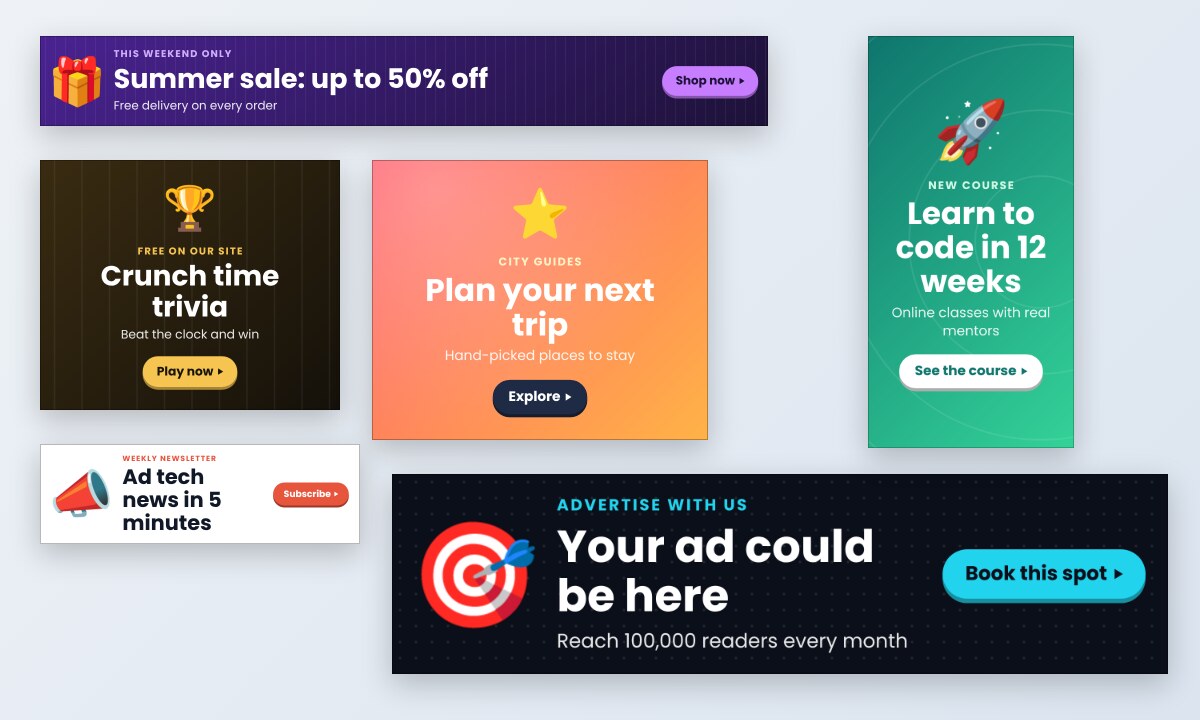
Looking for inspiration first? Read our creative banner advertisement ideas.
Animated HTML5 banners
A static image is fine for most campaigns. However, a little movement gets more attention. Click Animated HTML5 above the preview to see your banner in motion. The lines of text slide in one after another, the icon floats gently and a glow passes over the button every few seconds.
The HTML5 download is a ZIP file with a single index.html inside. It includes the banner size as an ad.size tag and a clickTag variable for the link, which is the format that ad servers such as Google Ad Manager expect. You can also type your own click address in the Animation tab.
Check the rules of your ad network before you upload. For example, some networks accept HTML5 files only from approved accounts, and some do not allow a banner to load files from other servers. In that case, choose the Arial or Georgia font, because the other fonts are loaded from Google Fonts.
You decide how the banner moves. In the Animation tab you can let the text slide up, slide in from the left, zoom in or simply fade in. For the button, choose a glow that sweeps across or a gentle pulse. You can also set the speed, or switch every effect off.
Optional image compression
Heavy files load slowly, and ad networks reject banners that are too big. Therefore the banner maker has an optional image compression setting under the download buttons. Light compression makes JPG files and HTML5 banners clearly smaller with almost no visible change. Strong compression gives the smallest file, which helps with photo backgrounds. PNG files are not affected, because PNG always keeps full quality.
One design, many sizes: the banner package
A campaign rarely needs just one size. Therefore the banner maker can lay out your design again for every size you tick and put all files into one ZIP package. First, finish your design in any size. Then tick the sizes you need, choose PNG, JPG or HTML5, and press the package button. Each size gets its own layout, so a wide leaderboard and a tall skyscraper both look right.
Standard banner sizes for websites
Most advertisers and ad networks use the same small set of sizes. Therefore, if you make these, your banner will fit almost any website.
| Size (pixels) | Name | Where it works best |
|---|---|---|
| 300 x 250 | Medium rectangle | Inside articles and in sidebars, on desktop and mobile |
| 336 x 280 | Large rectangle | Inside articles on desktop |
| 728 x 90 | Leaderboard | Top of the page on desktop and tablets |
| 970 x 250 | Billboard | Large spot above the content on desktop |
| 970 x 90 | Large leaderboard | Wide header position on desktop |
| 300 x 600 | Half page | Sidebar on desktop, with a lot of room for the message |
| 160 x 600 | Wide skyscraper | Narrow sidebars |
| 320 x 50 | Mobile banner | Top or bottom of the screen on phones |
| 320 x 100 | Large mobile banner | Phones, when you need more space than 320 x 50 |
We explain each format in more detail in our guides to the best desktop ad sizes and the best mobile banner sizes.
Banner sizes for social media
| Platform | Use | Size (pixels) |
|---|---|---|
| Facebook and LinkedIn | Shared post image | 1200 x 628 |
| Square post | 1080 x 1080 | |
| X (Twitter) | Profile header | 1500 x 500 |
| YouTube | Video thumbnail | 1280 x 720 |
| YouTube | Channel banner | 2560 x 1440 |
| Standard pin | 1000 x 1500 |
However, social networks change their recommended sizes from time to time. So check the current numbers on the platform before you publish an important campaign.
Banners for your website, blog or print
You do not need an account for any of this. Open the tool, make the banner and download it. There is no login and no watermark on the files.
- Website banners: pick one of the standard ad sizes, such as 300 x 250 or 728 x 90, or choose Custom size for a wide header, for example 1920 x 480.
- Blog banners: 1200 x 628 works as a featured image on most blogs and also looks right when the post is shared on Facebook or LinkedIn.
- Custom banners: set any width and height from 50 to 4000 pixels, then pick a theme, colors, text and your own image or logo.
- Banners for printing: download a large PNG, up to 4000 x 4000 pixels. At 300 dpi that prints at about 34 x 34 cm (13 x 13 inches), which is enough for flyers, small posters and signs. For large vinyl banners, ask your print shop for their file size first.
Tips for banners that get clicks
- Say one thing. People look at a banner for a second or two. One clear benefit works better than three.
- Make the button obvious. Use a color that stands out from the background and words that tell people what happens next.
- Keep the text large. If you cannot read it on a phone at arm's length, it is too small.
- Use contrast. Dark text on a light background or light text on a dark one. Avoid colors that are close to each other.
- Add a border to light banners. Otherwise a white banner blends into a white web page.
- Test two versions. Change one detail, run both and keep the one with the higher click rate.
Click rates also depend on the size and the country. See our numbers on click through rates by ad size and country.
PNG or JPG: which file should you download?
Choose PNG when the banner is mostly text, flat colors and a logo, because the edges stay sharp. However, pick JPG when the banner has a photo or a gradient. In that case the file is usually much smaller. File weight matters too. For example, Google Ads accepts image ads up to 150 KB, and many other networks have a similar limit. That is why the banner maker shows the size of both formats under the preview.
For website owners: house ads and direct deals
Publishers need banners too. For example, with this online banner maker you can create house ads that promote your newsletter, your best article or your own product in ad slots that would otherwise stay empty. It is also handy when a local advertiser wants to book a spot but has no designer. As a result, the banner is ready in a few minutes and the deal can start the same day.
If you are still setting up advertising, start with how to put ads on a website. Before you add more ad slots, check the Better Ads Standards so browsers do not filter your ads. And if you want to earn more than AdSense pays, see our list of Google AdSense alternatives.
Free banner templates
Don't want to start from a blank canvas? Banner Studio has 30 free banner templates for deals, holidays, real estate, cars, restaurants and more. Pick one, change the photos and text, and download every size as an animated HTML5 banner or as images.
Frequently asked questions
Is this online banner maker really free, with no watermark?
Yes. You can create and download as many banners as you like. Also, there is no sign up, no trial period and no watermark on the files.
Do I need to log in or create an account?
No. The banner maker works without login or sign up. Open the page, make your banner and download it.
Can I make a banner in a custom size?
Yes. Choose Custom size in the size list and type any width and height from 50 to 4000 pixels.
Can I make a banner for printing?
Yes, for small prints. Download a PNG of up to 4000 x 4000 pixels, which prints at about 34 x 34 cm at 300 dpi. For large vinyl banners, check the file size your print shop needs.
Which size is best for a blog banner?
Use 1200 x 628 for a featured image, because it also fits Facebook and LinkedIn shares. For a blog header, use Custom size, for example 1920 x 480.
Are my images uploaded to your server?
No. The banner is drawn in your own browser. Therefore a background image or logo that you add stays on your device and is never sent to us.
Which banner size should I choose?
For a website, start with 300 x 250, because it fits in sidebars and inside articles on both desktop and mobile. Then add 728 x 90 for the top of desktop pages and 320 x 50 for phones.
Can I make animated banners?
Yes. Choose Export HTML5 to get an animated banner in which the text slides in and a glow moves over the button. However, the tool does not create GIF files.
Can I download several banner sizes at once?
Yes. Tick the sizes you need in the package box under the preview and press the package button. As a result, you get one ZIP file with every size as PNG, JPG or HTML5.
Can I use the banners for commercial ads?
Yes. The banners you make are yours to use in paid ads, on your website and on social media. However, make sure you have the right to use any photo or logo that you add.
Why does the tool show the file size?
Ad networks limit how heavy an image ad can be. For example, Google Ads accepts image ads up to 150 KB. Therefore the size shown under the preview helps you stay below that limit before you download.