
AdSense is simple: paste the code and Google does the rest. But sooner or later many publishers want more control. They want to sell ads directly, run house banners or add header bidding. That is where Google Ad Manager comes in. It is Google’s free ad server, and it is not only for big media companies.
In this guide we explain what Google Ad Manager is, how it differs from AdSense, what the free version includes and how to set it up as a small publisher.
What is Google Ad Manager?
Google Ad Manager (GAM) is an ad server. It decides which ad to show in each slot on your site. The ad can come from an advertiser you sold to directly, from AdSense, from Google Ad Exchange or from header bidding partners. GAM compares them all and picks the best one. It was created from two older products, DoubleClick for Publishers (DFP) and DoubleClick Ad Exchange.
AdSense vs Google Ad Manager
| AdSense | Google Ad Manager | |
|---|---|---|
| What it is | An ad network | An ad server |
| Demand | Google’s advertisers | Any source you connect, including AdSense |
| Direct deals | No | Yes |
| Header bidding | No | Yes |
| Control | Low | High |
| Setup | Minutes | Hours to days |
| Best for | New and small sites | Sites that want several revenue sources |
So it is not either/or. Most publishers keep AdSense and run it inside Ad Manager, where it competes with everything else.
What the free version includes
The standard version of Ad Manager is free up to a monthly limit of non-video impressions. According to MonetizeMore, the limit depends on your country:
| Country group | Free impressions per month |
|---|---|
| US, Canada, Australia, New Zealand | 90 million |
| Many European, Asian and Latin American countries | 200 million |
| All other countries | 150 million |
That is far more than a small site needs. The paid version, Ad Manager 360, adds advanced video features, audience tools, more reporting and direct support. You only need it when you outgrow these limits.
When should you move from AdSense to Ad Manager?
- You want to sell ad space directly to advertisers or sponsors.
- You want to promote your own products with house ads when no paid ad is available.
- You plan to add header bidding.
- You need better reports, for example by ad unit, country or advertiser.
- You run several sites and want one place to manage them.
If none of these apply, AdSense alone is fine for now.
The four building blocks
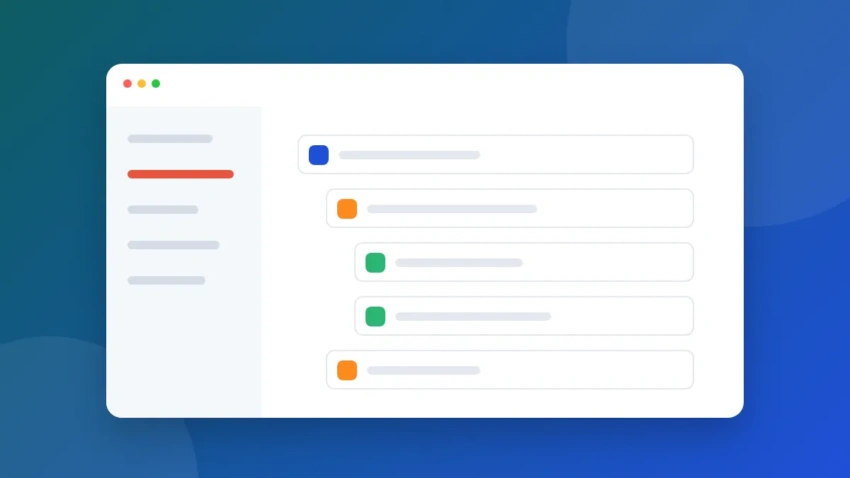
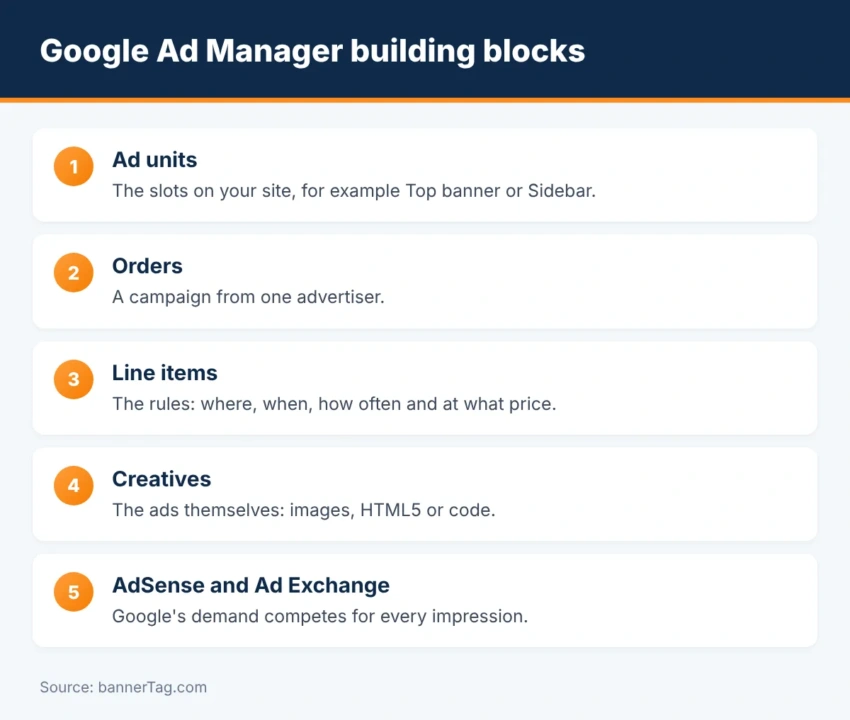
- Ad units are the slots on your site, such as “Top banner” or “Sidebar”.
- Orders are campaigns from one advertiser.
- Line items are the rules inside an order: where, when and how often the ads run, and at what price.
- Creatives are the ads themselves: images, HTML5 files or code.
How to set up Google Ad Manager
- Sign up. Go to admanager.google.com with the Google account that has your approved AdSense account. No AdSense yet? Follow our AdSense application tutorial.
- Create ad units. Add one for each slot and choose its sizes. Our banner ad sizes guide shows the options.
- Generate tags. Ad Manager creates Google Publisher Tag (GPT) code. Put the first part in the page head and the second where the ad should appear.
- Link AdSense. Connect your AdSense account so that it can fill unsold impressions.
- Create your first order. For example, a house campaign with your own banner. You can design one in our online banner maker.
- Update ads.txt. Add the lines Ad Manager shows you and test the file with the ads.txt checker.
- Check delivery. Use the Delivery tools and the Google Publisher Console to see which line item won.
Line item types in simple terms
| Type | Use it for |
|---|---|
| Sponsorship | An advertiser who buys a fixed share of a slot |
| Standard | Direct campaigns with a set number of impressions |
| Price priority | Networks and header bidding, ranked by price |
| AdSense / Ad Exchange | Google’s demand competing in real time |
| House | Your own promotions when nothing else is available |
What about Google Ad Exchange?
Ad Exchange (AdX) is Google’s premium marketplace, and it often pays more than AdSense. However, Google gives direct AdX accounts mostly to large publishers. Smaller sites usually get access through a Google-certified publishing partner, which adds your site to its account with a tool called Multiple Customer Management (MCM). We explain how Google’s demand works alongside header bidding in Google Exchange Bidding.
Common mistakes
- Too many ad units. Start with three or four and reuse them.
- Forgetting ads.txt. Missing lines reduce bids.
- Wrong priorities. A house ad with high priority can block paid ads.
- No reserved space for slots. This causes layout shifts. Read Core Web Vitals and ads.
- No consent setup for European visitors. See Google consent requirements for publishers.
Frequently asked questions
Is Google Ad Manager free?
Yes, the standard version (often called Small Business) is free up to a monthly impression limit. Above that limit Google may ask you to move to the paid Ad Manager 360.
Do I need AdSense to use Google Ad Manager?
Yes. You sign up for Ad Manager with a Google account that has an approved AdSense account.
Can I use AdSense and Ad Manager together?
Yes. You can link your AdSense account inside Ad Manager and let it compete with your other line items for every impression.
How do small publishers get access to Google Ad Exchange?
Google gives direct Ad Exchange accounts mainly to larger publishers. Smaller sites usually get access through a Google-certified publishing partner using Multiple Customer Management (MCM).
Is Google Ad Manager hard to learn?
It is more complex than AdSense, but the basics are four things: ad units, orders, line items and creatives. Most people can run a simple setup after a few hours of practice.
Conclusion
Google Ad Manager is free, works together with AdSense and opens the door to direct sales and header bidding. It takes a few hours to learn, but you do not need a big team. Start with a handful of ad units, link AdSense and add one house campaign. When that runs well, you can add more demand, for example with Prebid.js.